

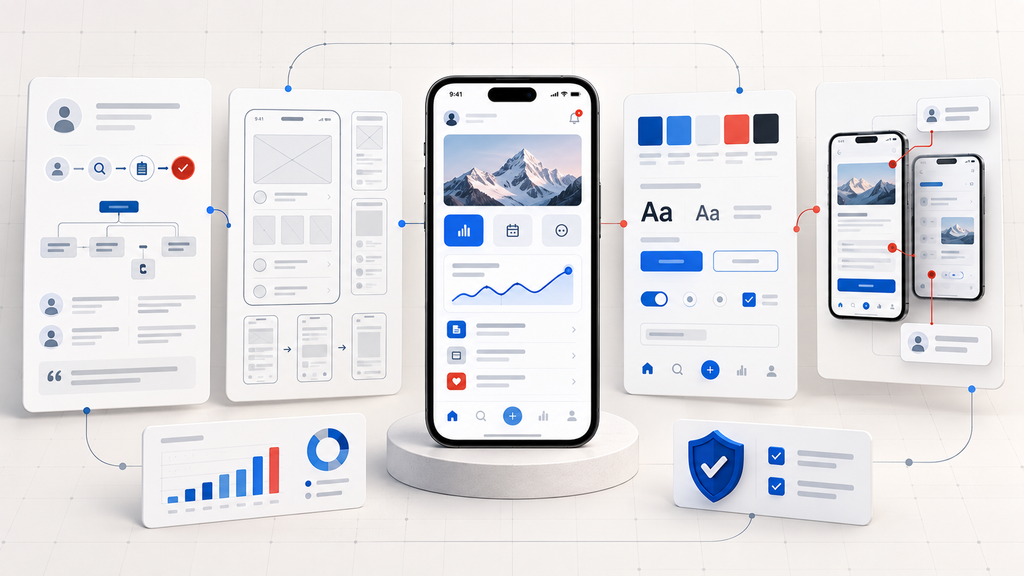
The mobile app development process turns a product idea into a secure, usable, and maintainable application. It includes discovery, requirements, UX/UI design, architecture, development, testing, deployment, and continuous improvement. Whether a business builds internally or works with a mobile app development company, following a structured process helps control costs, identify technical risks early, and keep the product aligned with user and business goals.
Successful mobile applications are not produced through coding alone. Decisions about the target audience, platform, architecture, integrations, security, data handling, and maintenance model affect both the initial release and the product’s long-term performance.
This guide explains the complete mobile app development life cycle, what happens at each stage, how native and cross-platform options differ, what determines development costs, and how teams can move from concept to launch with fewer avoidable risks.
What Is the Mobile App Development Process?
The mobile app development process is a structured sequence of activities used to research, plan, design, engineer, test, release, and maintain a mobile application.
A complete process answers five essential questions:
- What user or business problem will the application solve?
- Which features are necessary for the first release?
- Which technology and architecture best support the product?
- How will quality, security, and performance be verified?
- How will the application be maintained and improved after launch?
Although the stages are usually presented in order, modern app development is iterative. Research can change the feature scope, usability testing can reshape the interface, and production data can influence the next release.
A practical development cycle follows this pattern:
Discover → Define → Design → Build → Test → Release → Measure → Improve
Mobile App Development Life Cycle at a Glance
| Stage | Main objective | Primary deliverable |
| Product discovery | Validate the problem and opportunity | Product strategy |
| Requirements planning | Define features, users, and constraints | Product requirements document |
| Platform and architecture selection | Choose the technical foundation | Architecture plan |
| UX and UI design | Create and validate the user experience | Interactive prototype |
| Project planning | Estimate effort, cost, and ownership | Delivery roadmap |
| Application development | Build the frontend, backend, and integrations | Working application |
| Testing and quality assurance | Verify functionality and reliability | Release candidate |
| Security and compliance review | Protect data and meet applicable requirements | Security assessment |
| Deployment and launch | Publish the application safely | Production release |
| Maintenance and optimization | Monitor, support, and improve the product | Updated product roadmap |
Each stage should have a defined output and approval condition. A team should not move forward simply because time has passed; it should move forward because the relevant decisions have been made and verified.
Choose the Right Mobile Development Platform Before Building
Platform selection affects performance, budget, development speed, user experience, and long-term maintenance. The right choice depends on the product rather than the popularity of a particular framework.
Native Mobile App Development
Native applications are built specifically for one operating system. Swift and SwiftUI are commonly used for iOS, while Kotlin and Jetpack Compose are widely used for Android.
Native development is often suitable when an application requires:
- Deep access to device hardware
- Complex background processing
- High-performance graphics
- Platform-specific interface behavior
- Advanced Bluetooth, camera, sensor, or location functions
- Close integration with Apple or Android services
The main tradeoff is that separate iOS and Android applications may require more development and testing effort.
Cross-Platform Mobile App Development
Cross-platform frameworks such as Flutter and React Native allow teams to share a substantial portion of the code between iOS and Android.
This approach can work well for:
- Startup minimum viable products
- Customer-service applications
- Ecommerce applications
- Internal business tools
- Content and booking platforms
- Products with similar workflows across both platforms
Shared code can reduce duplicated engineering work, but teams may still need native modules for certain device features or operating-system-specific behavior.
Hybrid Mobile App Development
Hybrid applications use web technologies inside a native container. They can be practical for simple business applications with limited device interaction.
However, a hybrid approach may be less suitable when the product requires complex animations, intensive background activity, advanced hardware access, or consistently native interface behavior.
Progressive Web Applications
A progressive web application runs through a browser but can offer features such as home-screen installation, responsive layouts, local caching, and limited offline functionality.
PWAs are useful when broad accessibility, fast distribution, and lower installation friction matter more than deep native-device integration.
Mobile Platform Comparison
| Approach | Main advantage | Main limitation | Best suited for |
| Native | Strong performance and platform access | Separate platform development | Complex or hardware-intensive apps |
| Cross-platform | Shared code and broader reach | Some native customization may be required | MVPs and multi-platform products |
| Hybrid | Faster delivery for simple applications | Performance and UX limitations | Basic internal or content-based apps |
| PWA | Browser-based access without app-store installation | Restricted access to some device functions | Content, portals, and lightweight services |
A platform decision should consider the product’s complete expected life, not only the speed of the first release.
Stage 1: Validate the Product Problem and Business Opportunity
Development should begin by defining the problem, not listing features.
Product discovery examines the intended users, their current behavior, existing alternatives, business objectives, market conditions, and operating constraints. The goal is to determine whether the proposed application solves a meaningful problem and whether a mobile app is the right solution.
Discovery activities may include:
- Stakeholder workshops
- User interviews
- Competitor analysis
- Workflow observation
- Market research
- Technical feasibility discussions
- Review of existing customer or operational data
A useful product problem statement should identify:
- The target user
- The problem the user experiences
- The existing alternative
- The proposed improvement
- The business result the application should support
For example, “Build a healthcare app” is too broad. A more useful definition would be:
Enable patients at a regional clinic network to schedule, reschedule, and prepare for appointments without contacting the call center.
This definition creates a clearer foundation for features, integrations, security requirements, and success metrics.
Discovery deliverables
- Product vision
- User profiles
- Problem statement
- Business objectives
- Initial risk register
- Competitive findings
- Success metrics
- Product validation plan
The project should move forward when there is enough evidence that the problem is valuable, the users are identifiable, and the proposed solution is feasible.
Stage 2: Convert the Product Idea Into Clear Requirements
Requirements translate the product strategy into specific behaviors, rules, and constraints.
A useful requirements document explains what the application must do, who can perform each action, what data is required, and how the system should respond to different conditions.
Requirements generally fall into two categories.
Functional requirements
Functional requirements describe user and system capabilities, such as:
- Account registration and authentication
- User profiles and permissions
- Product search and filtering
- Payments and subscriptions
- Messaging and notifications
- Location tracking
- File or media uploads
- Administrative controls
- Third-party integrations
Non-functional requirements
Non-functional requirements define how the application should operate, including:
- Performance expectations
- Availability targets
- Security controls
- Accessibility requirements
- Supported devices and operating systems
- Data retention rules
- Offline behavior
- Scalability expectations
- Localization
- Regulatory obligations
Requirements should also cover loading states, errors, expired sessions, interrupted payments, poor network conditions, permission denial, and empty screens. These situations often determine whether an app feels reliable in real use.
Define the MVP carefully
A minimum viable product is the smallest usable version of a product that can test a meaningful assumption. It is not a collection of partially finished features.
A practical MVP should include:
- One clearly defined user group
- One primary problem
- A complete core user journey
- Essential security and quality controls
- Analytics for measuring behavior
- A manageable release scope
Requirements deliverables
- Product requirements document
- Prioritized feature backlog
- User stories
- Acceptance criteria
- User-role matrix
- Integration inventory
- Release scope
- Explicit list of excluded features
Clear exclusions are important because they prevent optional ideas from quietly becoming mandatory development work.
Stage 3: Select an Architecture That Supports the Product
Mobile application architecture defines how the user interface, business logic, data, backend services, and external systems work together.
Architecture decisions influence security, performance, scalability, testability, and future maintenance. A technically functional application can still become expensive to operate if responsibilities are poorly separated or critical dependencies are tightly coupled.
A typical mobile product may include:
- iOS and Android clients
- Backend services
- Databases
- An authentication provider
- Administrative dashboards
- Notification services
- Payment processors
- Analytics tools
- Cloud storage
- Third-party APIs
The architecture should answer questions such as:
- Which data is stored on the device?
- Which data belongs on the server?
- What happens when the network is unavailable?
- How are failed requests retried?
- How are users authenticated and authorized?
- How are API versions managed?
- Which systems are the authoritative data sources?
- How will the system handle additional users and transactions?
- How will errors and performance problems be monitored?
The official Android architecture guidance recommends separation of concerns, clear data ownership, and architectures that improve testability and maintainability. These principles are relevant beyond Android because they reduce coupling throughout the product.
Architecture deliverables
- System-context diagram
- Data-flow diagram
- Technology stack
- API design
- Data model
- Integration map
- Authentication model
- Offline and synchronization strategy
- Architecture decision records
- Infrastructure plan
Architecture should be detailed enough to guide development without attempting to predict every future requirement.
Stage 4: Validate the User Experience Before Full Development
UX design determines how users complete tasks, understand information, recover from errors, and move through the application.
Starting with visual styling can hide unresolved workflow problems. Effective design begins with information architecture and user flows.
Information architecture
Information architecture organizes screens, navigation, content, and actions. It determines where users expect to find information and how different sections of the application relate to each other.
User flows
User flows describe the steps required to complete a task, such as:
- Creating an account
- Booking a service
- Completing a purchase
- Uploading a document
- Changing a subscription
- Recovering a password
Each flow should include alternative paths, validation messages, cancellation behavior, permission requests, and failure states.
Wireframes
Wireframes establish page structure and content hierarchy without final colors, imagery, or branding. They allow teams to resolve usability questions before investing in detailed interface design.
Interactive prototypes
A prototype connects important screens so stakeholders and representative users can test the experience before development.
Prototype testing can reveal:
- Confusing navigation
- Missing information
- Unclear labels
- Excessive form fields
- Weak error recovery
- Unexpected user behavior
- Accessibility barriers
Visual interface design
After the flows are validated, designers create the visual system, including:
- Typography
- Color
- Icons
- Components
- Buttons
- Form controls
- Spacing
- Motion
- Responsive layouts
- Light and dark themes
Designs should follow relevant Apple and Android conventions while maintaining a consistent product identity.
UX and UI deliverables
- Information architecture
- User-flow diagrams
- Wireframes
- Interactive prototype
- Usability findings
- UI design system
- Responsive screen designs
- Accessibility checklist
- Annotated design specifications
The stage is complete when users can complete the primary journeys without major confusion and developers have enough detail to implement the interface consistently.
Stage 5: Plan the Team, Timeline, Budget, and Releases
Once the product scope, architecture, and experience are sufficiently defined, the team can estimate the project more reliably.
A mobile development team may include:
- Product manager
- Business analyst
- UX researcher
- UI/UX designer
- iOS developer
- Android developer
- Cross-platform developer
- Backend engineer
- Quality assurance engineer
- DevOps or cloud engineer
- Security specialist
Not every project requires every role full time. The required team depends on the product’s technical and operational complexity.
Break the project into vertical features
A vertical feature includes the user interface, business rules, API behavior, data handling, and testing required to make one capability work from end to end.
For example, “user registration” may include:
- Registration screens
- Form validation
- API endpoint
- Database record
- Email or SMS verification
- Error handling
- Analytics event
- Automated tests
Estimating complete vertical features is more accurate than separately estimating screens, APIs, and database tasks without considering their dependencies.
Build a risk-adjusted roadmap
The delivery plan should identify:
- Development milestones
- Technical dependencies
- Third-party approvals
- High-risk integrations
- Testing periods
- Store-review preparation
- Contingency time
- Responsible owners
- Release conditions
Teams seeking a shorter timeline-based explanation can also review the seven phases of app development and the typical decisions made during each phase.
Planning deliverables
- Team structure
- Product backlog
- Delivery roadmap
- Milestone plan
- Budget estimate
- Ownership matrix
- Risk register
- Definition of done
- Release criteria
Stage 6: Build the Application in Testable Increments
Development converts the requirements, architecture, and designs into working software.
A reliable project does not wait until every feature is coded before producing a testable build. Development should deliver small, complete increments that can be reviewed and tested throughout the project.
Mobile frontend development
Frontend development covers the part of the application installed or accessed on the user’s device. It includes:
- Screens and navigation
- User input
- Local data
- Device permissions
- Notifications
- Camera, microphone, and location access
- Offline states
- Accessibility behavior
- Platform-specific interactions
Backend development
The backend manages business logic, centralized data, authentication, integrations, and communication between systems.
Backend responsibilities may include:
- User accounts and permissions
- Data storage
- Search
- Payment processing
- Notification scheduling
- Administrative functionality
- Integration with business systems
- Reporting and analytics
API development
APIs define how the mobile client communicates with backend services. API design should cover validation, authorization, error formats, retries, rate limits, versioning, and documentation.
Engineering practices
Useful engineering controls include:
- Version control
- Peer code review
- Automated builds
- Unit testing
- Development and staging environments
- Feature flags
- Secure configuration management
- Reusable components
- Technical documentation
- Continuous integration
These practices make changes easier to review and reduce the risk of one developer becoming the only person who understands a critical part of the product.
Stage 7: Test Quality Throughout Development
Mobile app testing should begin during planning and continue throughout design, development, release, and maintenance.
Testing only after development is complete allows defects to accumulate and makes them more expensive to isolate.
Functional testing
Functional testing verifies that features behave according to their requirements and acceptance criteria.
Examples include:
- Users can create and verify an account
- Authorized users can access protected data
- Payments are processed once
- Search filters return correct results
- Notifications open the intended screen
- Failed actions provide understandable feedback
Integration testing
Integration testing confirms that the application communicates correctly with APIs, payment providers, analytics systems, identity platforms, and other external services.
Compatibility testing
Mobile applications operate across different device sizes, hardware capabilities, operating-system versions, and vendor configurations.
A device matrix should prioritize:
- Devices used by the target audience
- Supported operating-system versions
- Common screen sizes
- Low-memory devices
- Tablets or foldables where relevant
- Different network conditions
Performance testing
Performance testing evaluates:
- Startup time
- Screen response time
- API latency
- Scrolling behavior
- Memory use
- Battery impact
- File-upload performance
- Behavior under load
Usability and accessibility testing
Usability testing checks whether users can complete tasks without unnecessary confusion. Accessibility testing examines screen-reader support, focus order, touch-target size, contrast, dynamic text, labels, and alternative content.
Security testing
Security testing covers authentication, authorization, storage, transmission, session handling, API behavior, third-party libraries, and common mobile attack paths.
Regression testing
Regression testing verifies that new changes have not damaged previously working features. High-value regression tests should be automated when they are stable, repeatable, and frequently executed.
The Android core app quality guidelines provide useful criteria for stability, performance, usability, and compatibility.
Testing deliverables
- Test strategy
- Device and operating-system matrix
- Test cases
- Automated regression suite
- Defect reports
- Performance baseline
- Accessibility findings
- Release test results
- Approved release candidate
Stage 8: Verify Security, Privacy, and Compliance
Security should be designed into the application rather than added shortly before launch.
The first step is identifying:
- Valuable assets
- Sensitive data
- User roles
- Data flows
- Trust boundaries
- Threat scenarios
- Legal or contractual obligations
Important mobile security controls
Security requirements may include:
- Strong authentication
- Multi-factor authentication where appropriate
- Role-based authorization
- Secure token handling
- Encryption in transit
- Protected local storage
- Certificate validation
- Input validation
- API rate limiting
- Secure logging
- Dependency scanning
- Protection against exposed secrets
- Account and data deletion
- Session expiration
The OWASP Mobile Application Security Verification Standard provides a structured framework for evaluating storage, cryptography, authentication, network communication, platform interaction, code quality, resilience, and privacy.
Privacy and data governance
Teams should document:
- Which personal data is collected
- Why each data element is required
- Where it is stored
- Who can access it
- How long it is retained
- Which third parties receive it
- How users can request deletion
- How consent is recorded
Removing unnecessary data collection is often more effective than attempting to secure information the product never needed.
Security deliverables
- Threat model
- Data inventory
- Permission matrix
- Third-party SDK inventory
- Security test report
- Privacy disclosure inputs
- Incident-response plan
- Remediation list
Stage 9: Prepare and Execute a Controlled App Launch
Application deployment includes more than uploading a build to an app store.
A release package may require:
- Signed production builds
- App name and description
- Screenshots
- App icon
- Privacy policy
- Age rating
- Data-use disclosures
- Review credentials
- Permission explanations
- Support information
- Release notes
Apple’s App Review Guidelines should be reviewed during planning, not only after development. Features involving subscriptions, user-generated content, accounts, health data, location, payments, or background processing may require particular attention.
Use beta testing before public release
Beta testing allows a controlled group to use the application in realistic conditions before full publication.
Beta testers can uncover:
- Device-specific defects
- Confusing onboarding
- Missing content
- Performance issues
- Unexpected workflows
- Problems with production integrations
Plan a phased rollout
A phased release limits the percentage of users receiving the new version at once. This allows the team to monitor production behavior before expanding distribution.
A launch plan should define:
- Rollout stages
- Health metrics
- Alert thresholds
- Support responsibilities
- Incident escalation
- Rollback conditions
- Communication procedures
Deployment deliverables
- Production build
- Store-listing content
- Review instructions
- Beta-test results
- Launch checklist
- Monitoring dashboard
- Rollback plan
- Support runbook
A successful launch is not the point at which the app becomes available. It is the point at which the app becomes available and the team can observe, support, and recover it safely.
Stage 10: Maintain and Improve the Application After Launch
Mobile app maintenance begins as soon as the application enters production.
Operating systems, devices, dependencies, backend services, store policies, and user expectations continue to change. An application that receives no maintenance gradually becomes less secure and less reliable.
Monitor technical health
Production monitoring should track:
- Crash-free sessions
- Application-not-responding events
- API errors
- Startup time
- Network latency
- Memory use
- Battery impact
- Failed payments
- Authentication failures
- Notification delivery
Measure product performance
Product analytics should evaluate whether users receive the intended value.
Relevant metrics may include:
- Onboarding completion
- Activation
- Task completion
- Conversion
- Retention
- Feature adoption
- Subscription renewal
- Abandonment
- Support requests
- Customer satisfaction
Technical success and product success are different. An application can be stable but fail to solve a useful problem. It can also attract users while accumulating technical risks that eventually affect reliability.
Maintain the technology
Ongoing engineering work may include:
- Operating-system updates
- Framework upgrades
- Security patches
- Dependency updates
- API version changes
- Performance improvements
- Device compatibility updates
- Accessibility improvements
- New feature development
- Removal of unused functionality
Maintenance deliverables
- Production dashboard
- Alert rules
- Incident log
- Maintenance schedule
- Prioritized improvement backlog
- Updated risk register
- Release calendar
- Product performance report
The development process becomes continuous after launch:
Monitor → Learn → Prioritize → Improve → Release
How Long Does Mobile App Development Take?
A focused mobile MVP commonly requires approximately three to six months, while a complex product may take six to twelve months or longer. The schedule depends on scope, platforms, integrations, security requirements, team size, and the speed of stakeholder decisions.
The following ranges are planning examples rather than fixed promises.
| Project type | Typical timeline |
| Prototype or proof of concept | 4–8 weeks |
| Focused MVP | 3–6 months |
| Mid-complexity customer application | 5–9 months |
| Complex or regulated platform | 9–18+ months |
Factors that extend development time
- Unclear requirements
- Frequent scope changes
- Multiple independent user roles
- Custom backend engineering
- Legacy-system integrations
- Payment or identity verification
- Complex offline synchronization
- Regulatory reviews
- Extensive device support
- Delayed stakeholder feedback
- App-store review issues
Adding more developers does not always shorten the timeline. Larger teams introduce additional communication, coordination, review, and integration work.
How Much Does Mobile App Development Cost?
Mobile app development cost is determined by the work required across product strategy, design, engineering, infrastructure, testing, release, and maintenance.
A practical estimation model is:
Development cost = effort by role × delivery rate + infrastructure + third-party services + compliance work + launch preparation + maintenance
Broad planning ranges may look like this:
| Product scope | Illustrative development range |
| Prototype or technical proof of concept | $10,000–$30,000 |
| Focused MVP | $30,000–$100,000 |
| Mid-complexity mobile product | $100,000–$250,000 |
| Complex, regulated, or enterprise platform | $250,000–$500,000+ |
These are directional ranges, not quotations. Geography, team model, product maturity, code quality expectations, and operational responsibility can move the investment significantly.
The main mobile app cost drivers
Feature scope
More user roles, workflows, screens, business rules, and administrative capabilities require additional design, engineering, and testing.
Platform coverage
Building for both iOS and Android generally requires more work than supporting one platform, even when a cross-platform framework is used.
Backend complexity
Real-time data, advanced search, complex permissions, reporting, synchronization, and business-system integrations increase backend effort.
UI and interaction design
Custom animations, interactive charts, gesture-heavy interfaces, media editing, and extensive design systems require more specialized work than standard interface patterns.
Third-party integrations
Payments, maps, identity verification, shipping, analytics, healthcare systems, customer relationship platforms, and enterprise software introduce external dependencies.
Security and compliance
Products handling financial, healthcare, children’s, government, or other sensitive data require more security design, documentation, testing, and governance.
Quality coverage
Supporting a broad device matrix, multiple languages, tablets, accessibility requirements, and offline scenarios increases the test scope.
Ongoing operations
Cloud hosting, monitoring, support, security updates, framework upgrades, and feature development continue after the initial release.
The cheapest initial proposal is not always the lowest-cost option over the product’s life. Poor architecture, limited testing, and missing documentation can shift costs into production incidents and later redevelopment.
What Commonly Delays Mobile App Development?
Most project delays are caused by unresolved decisions and hidden dependencies rather than coding speed alone.
Starting development before validating the problem
A team can efficiently build features that users do not need. Discovery reduces this risk before the largest investment begins.
Treating every feature as essential
An oversized first release increases development time, test scope, and operational risk. Features should be prioritized by user value, business impact, evidence, and dependency.
Choosing technology based on trends
A popular framework is not automatically suitable for every product. Platform decisions should reflect performance, hardware access, team expertise, maintenance, and product constraints.
Ignoring failure and offline states
Mobile users experience interrupted networks, denied permissions, expired sessions, low storage, and background termination. These conditions must be designed and tested.
Leaving security and testing until the end
Late testing uncovers problems when architecture, code, and interfaces are expensive to change. Security and QA should run throughout the life cycle.
Depending on undocumented integrations
Third-party services can impose rate limits, approval delays, incomplete documentation, pricing changes, or reliability issues. Integration assumptions should be tested early.
Launching without monitoring
Without production telemetry, teams may not know which devices are crashing, which APIs are failing, or where users abandon critical flows.
How to Evaluate a Mobile App Development Partner
A capable development partner should explain its decisions instead of presenting a framework or estimate as universally correct.
Evaluate potential teams based on:
- Discovery process: Do they investigate the business problem and users before defining the solution?
- Technical reasoning: Can they explain platform, architecture, security, and integration tradeoffs?
- Relevant delivery experience: Have they built products with similar operational requirements?
- Quality process: Do they test continuously across representative devices and conditions?
- Communication: Are ownership, reporting, risks, and approvals clearly defined?
- Security practices: Can they explain how data, credentials, APIs, and dependencies are protected?
- Documentation: Will the project produce usable design, technical, testing, and deployment documentation?
- Ownership terms: Are source code, design files, accounts, and deliverables clearly assigned?
- Post-launch support: Is there a defined plan for monitoring, incidents, updates, and future releases?
- Evidence: Can the team provide relevant case studies, references, or working examples?
A strong partner should also be willing to recommend a smaller initial scope when it creates a faster and more reliable path to learning.
Mobile App Development Process Checklist
Before beginning development, confirm that the project has:
- A clearly defined user problem
- Identified target users
- Measurable business and product outcomes
- Validated core assumptions
- Prioritized MVP scope
- Functional and non-functional requirements
- Platform decision
- Architecture and integration plan
- Data and security model
- Validated prototype
- Accessibility requirements
- Delivery roadmap
- Defined team responsibilities
- Test strategy and device matrix
- Store-compliance plan
- Analytics and monitoring requirements
- Launch and rollback procedures
- Maintenance ownership
- Post-launch improvement plan
This checklist does not remove uncertainty, but it makes uncertainty visible and manageable.
Mobile App Development Process FAQs
What is the first step in mobile app development?
The first step is product discovery. The team identifies the user problem, target audience, business objective, existing alternatives, risks, and evidence required to justify development.
What is the difference between a prototype and an MVP?
A prototype demonstrates or tests how an experience may work. It may contain little or no production code. An MVP is a functional product released to real users to test a business or product assumption.
Should a business choose native or cross-platform development?
Native development is often better for advanced device integration, maximum platform fidelity, or demanding performance. Cross-platform development can be effective when iOS and Android share similar features and faster multi-platform delivery is important. The right choice depends on the product’s requirements and expected lifetime.
When should mobile app testing begin?
Testing should begin during requirements and design. Acceptance criteria, user flows, architecture, prototypes, APIs, and code can all be tested before the final release candidate exists.
How long does it take to build a mobile app?
A prototype may take several weeks, while a focused MVP commonly takes three to six months. Complex or regulated applications may require nine months or longer.
What determines the cost of mobile app development?
The main cost drivers are feature scope, platform coverage, backend complexity, integrations, design depth, security, compliance, testing, and post-launch support.
Is launching the app the final development stage?
No. Launch begins the production phase. The team must monitor crashes, performance, user behavior, security, reviews, dependencies, and operating-system changes while planning future improvements.
Who should own the source code and technical accounts?
Ownership should be defined in the contract. Businesses should generally retain access to the approved source code, design files, documentation, cloud accounts, analytics, store accounts, and completed project deliverables.
Final Takeaway
A reliable mobile app development process connects product validation, requirements, experience design, architecture, engineering, testing, security, deployment, and maintenance into one continuous system.
The strongest teams do not treat these activities as isolated handoffs. They validate assumptions before expanding scope, build in testable increments, address security throughout development, release gradually, and use production evidence to guide improvement.
That discipline does more than help an application launch. It creates a mobile product that can remain secure, maintainable, and valuable as user expectations, technology, and business requirements change.
