

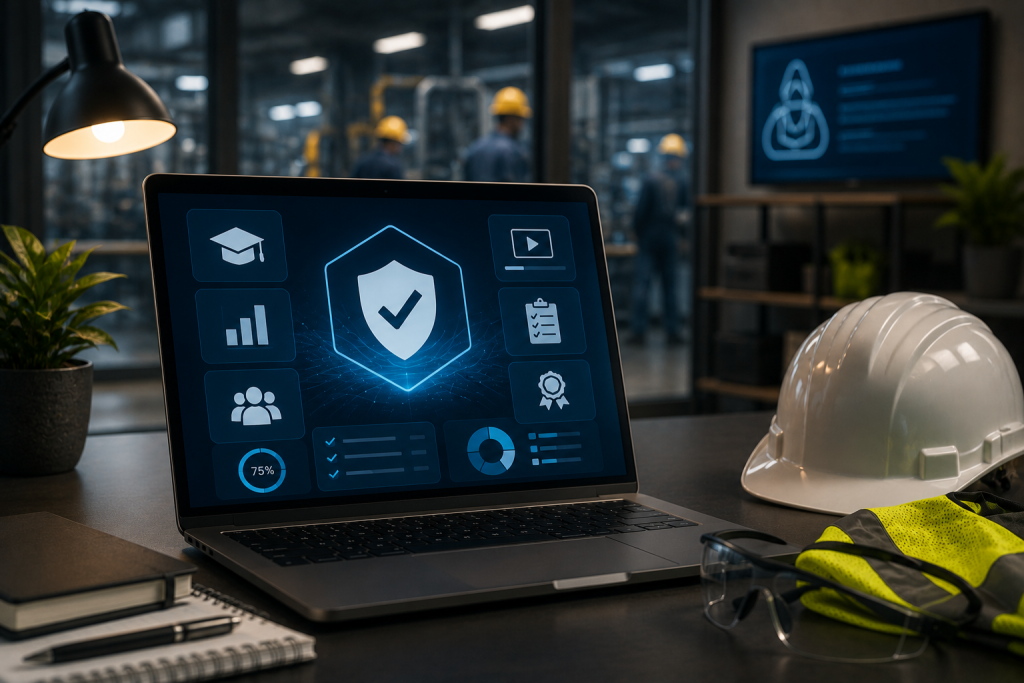
Choosing a Learning Management System in 2026 is not just a software decision. For safety-first organizations, it is a compliance decision, an operations decision, a workforce readiness decision, and a risk management decision.
A generic LMS may be enough for simple employee education, but safety training has different demands. Safety teams need to assign required training, track completions, manage certifications, store records, monitor expiries, support audits, and confirm whether workers are qualified for their roles. In high-risk industries, training is not only about knowledge transfer. It is about proving that the right people completed the right training at the right time.
That is why safety-first organizations need to evaluate LMS platforms differently.
The right safety LMS should help teams answer practical questions quickly:
- Who has completed required training?
- Who is overdue?
- Whose certification is expiring soon?
- Which roles require which courses?
- Can supervisors see their team’s training status?
- Are certificates stored and easy to access?
- Can training records support audits?
- Can the system handle online, classroom, blended, and external training?
- Does the LMS connect with the organization’s broader safety management processes?
BIS Safety Software positions its platform around learning and compliance, including LMS, Training Matrix, Training Record Management System, competency assessment, virtual proctoring, online classroom calendar, digital forms, inspections, incident management, equipment management, and mobile tools. TrainAndDevelop also describes the BIS Safety LMS as connecting training, assessments, certifications, and practical requirements within a competency framework aligned to job roles, worksites, and tasks.
For safety-first organizations, that kind of connected approach matters. This guide outlines what to look for before choosing an LMS in 2026.
What Is a Safety-First LMS?
A safety-first LMS is a learning management system built to support safety training, compliance management, certification tracking, audit readiness, and workforce qualification needs.
It should do more than deliver courses. It should help manage the full safety training lifecycle.
A strong safety LMS should support:
- Online training delivery
- Classroom and instructor-led training
- Blended learning
- Training assignments
- Course completion tracking
- Certification management
- Training record storage
- Certificate uploads
- Expiry tracking
- Automated renewal alerts
- Training matrix functionality
- Role-based requirements
- Location-based requirements
- Gap analysis reporting
- Audit-ready reports
- Supervisor visibility
- Mobile access
- Competency management
- Integration with broader EHS tools
A generic LMS may focus primarily on course hosting and learner progress. A safety-first LMS should help organizations manage compliance risk.
Why 2026 LMS Buying Decisions Need a Safety Lens
The LMS market is crowded. Many platforms can host content, enroll users, assign courses, and generate basic completion reports. Those features are useful, but they do not necessarily solve the problems safety teams face every day.
Safety-first organizations often need to manage:
- Recurring certifications
- Expiry dates
- Employee and contractor training
- Job-specific requirements
- Site-specific requirements
- Client-specific training rules
- External certificates
- Classroom and field training
- Competency assessments
- Audit documentation
- Training gaps across locations
- Supervisor accountability
- Mobile field access
- Integration with safety records and forms
A platform that works well for general corporate learning may still create workarounds for safety teams. Those workarounds often include spreadsheets, shared folders, manual reminders, email follow-ups, and separate certificate trackers.
That defeats the purpose of buying an LMS.
In 2026, safety-first organizations should look for platforms that reduce manual administration and improve training compliance visibility. The buyer’s goal should not be “Can this platform deliver courses?” The better question is “Can this platform help us prove our workforce is trained, current, and ready?”
Buyer Requirement 1: Safety-Specific Training Management

The first requirement is simple: the LMS should be designed for safety and compliance training, not just general learning.
Safety training has higher stakes than many other training categories. If a worker misses a leadership development module, that may be inconvenient. If a worker misses required fall protection, confined space, driver safety, or site orientation training, the consequences can be more serious.
A safety-first LMS should help manage:
- Mandatory safety courses
- Company-specific training
- Site orientations
- Role-based requirements
- Refresher training
- Practical assessments
- Instructor-led training
- Third-party certifications
- Online course completions
- Safety course libraries
BIS Safety Software describes its safety training management platform as a secure, cloud-based system for delivering, organizing, tracking, and reporting on workforce safety training, including online, in-person, and blended learning.
That kind of scope should be part of your buying criteria. Safety training rarely happens in one format, so your LMS should not be limited to one format either.
Buyer Requirement 2: Training Matrix Functionality
A training matrix is one of the most important features for safety-first organizations.
A training matrix maps training requirements to roles, locations, departments, worksites, tasks, or employee groups. Instead of manually assigning every course, administrators can define rules that help the system determine what each person needs.
A training matrix helps answer:
- What training does this role require?
- Which courses apply to this location?
- Which employees are missing required training?
- Which certifications are coming due?
- Which workers are compliant for their assigned tasks?
- Which teams need follow-up?
BIS Safety Software describes the Training Matrix as the “brain” of its LMS, used to map training requirements and automate renewal notifications, online course assignments, and digital form assignments. Its LMS page also notes that organizations can set up company roles, training topics, training requirements, and certification programs so the integrated matrix can assign online and classroom-based training.
For buyers, the question is not simply whether the LMS has a matrix. The question is whether the matrix reflects the way your organization actually works.
Look for the ability to assign training by:
- Job role
- Location
- Region
- Department
- Division
- Worksite
- Supervisor group
- Specific employee
- Client requirement
- Equipment type
- Task type
- Certification program
If the LMS cannot support your real training structure, administrators will eventually return to spreadsheets.
Buyer Requirement 3: Training Record Management
An LMS should not only track courses completed inside the platform. Safety-first organizations also need to manage records from many sources.
Training may be completed through:
- Online courses
- Instructor-led sessions
- Classroom training
- Field training
- External providers
- Historical records
- Practical evaluations
- Internal orientations
- Client-specific systems
A strong LMS should either include or integrate with a Training Record Management System. BIS Safety Software’s Training Record Management System is described as storing employee training records in one central location, and it includes support for employee training records, certificates, and a buyer’s guide for evaluating TRMS needs. BIS Safety also explains that its TRMS includes an integrated Training Matrix that can automatically assign required and optional training, helping reduce administrative work for managers and administrators.
When evaluating LMS platforms, ask whether they can manage:
- Training completed outside the LMS
- Uploaded certificate files
- Completion dates
- Expiry dates
- Provider names
- Historical training records
- Employee training histories
- Records for contractors
- Records for inactive employees
- Records pending approval
If certificates and external records still need to be tracked separately, the LMS may not be enough for a safety-first organization.
Buyer Requirement 4: Certification and Expiry Tracking
Certification tracking is one of the biggest differences between a general LMS and a safety-focused LMS.
Safety training often expires. If the system cannot track expiries and notify the right people in advance, administrators will need another process to prevent overdue training.
Your LMS should help track:
- Completion dates
- Expiry dates
- Renewal intervals
- Certificate status
- Overdue training
- Training coming due
- Refresher requirements
- Employee and supervisor notifications
Automated expiry alerts should notify the right people before training becomes overdue. Depending on your workflow, that may include:
- Employees
- Supervisors
- Managers
- Administrators
- Safety managers
- Training coordinators
- Location leads
TrainAndDevelop notes that driver management software integrates with the LMS and TRMS to track driver licenses, expiry dates, medical certifications, and endorsements, with automatic notifications sent to drivers and supervisors 90 days before expiries. While that example is specific to driver management, the buying principle applies broadly: safety-first systems should surface expiries before they become operational problems.
Buyer Requirement 5: Audit-Ready Reporting
Audit readiness should be a core LMS buying criterion for safety-first organizations.
A generic LMS report may show who completed a course. A safety-first LMS should help prove workforce compliance more broadly.
Audit-ready reporting may include:
- Employee training history
- Course completion reports
- Certificate reports
- Expired training reports
- Expiring soon reports
- Gap analysis reports
- Training status by role
- Training status by location
- Training status by supervisor
- Training status by department
- Missing certificate reports
- Records pending approval
- Compliance summary reports
BIS Safety Software’s safety training management page emphasizes centralizing training records for quick access and reliable audit readiness, along with detailed compliance reports for audits and management reviews.
When evaluating systems, ask how quickly your team could respond to an audit request. If reports require manual cleanup, spreadsheet exports, certificate searches, and cross-checking across departments, the system is not truly audit-ready.
Buyer Requirement 6: Support for Competency Management
Safety-first organizations increasingly need to prove more than course completion. They need to know whether workers are competent for the work being performed.
A course completion may show that someone passed an online module. It may not prove that they can perform a task safely in the field.
A stronger safety LMS should support competency management by connecting training, assessments, certifications, and practical requirements. TrainAndDevelop describes BIS Safety’s LMS as supporting competency management beyond basic course completion tracking, with competency status tracked in real time to show whether individuals are qualified, conditionally qualified, or non-compliant for specific work.
When evaluating competency features, look for support for:
- Job-role competency requirements
- Practical evaluations
- Supervisor assessments
- Certification requirements
- Conditional qualification status
- Task-specific readiness
- Worksite-specific requirements
- Assessment records
- Retraining triggers
- Reporting on competency gaps
This is especially valuable for high-risk industries where training completion alone may not be enough.
Buyer Requirement 7: Blended Learning and Instructor-Led Training
Safety training is often delivered in several formats. An LMS that only handles online courses may not fit the full training program.
Look for support for:
- Online self-paced training
- Virtual training
- Instructor-led sessions
- Classroom training
- Field training
- Practical evaluations
- On-the-job assessments
- Toolbox talks
- Orientations
- Blended programs
TrainAndDevelop notes that BIS Trainer capabilities include delivering online, classroom, and blended training, managing training records and certifications in one location, assigning courses based on roles and job requirements, tracking completions and expirations, and providing access to a large library of safety and compliance courses.
For buyers, this is important because safety training programs rarely fit neatly into one delivery method. Your LMS should support the mix your organization actually uses.
Buyer Requirement 8: Mobile Access for Field Teams
Safety-first organizations often have employees working away from a desk. Field teams, drivers, contractors, supervisors, inspectors, and remote workers may need access to training information from mobile devices.
Mobile access can support:
- Viewing assigned training
- Completing mobile-friendly courses
- Accessing certificates
- Checking training status
- Uploading documents
- Completing digital forms
- Supporting field verification
- Helping supervisors confirm readiness
BIS Safety Software’s broader platform includes the BIS Safety App, digital forms, inspections, field-level hazard assessments, pre-trip inspections, toolbox talks, equipment management, and connected worker tools. TrainAndDevelop’s safety management system page also describes mobile app access for completing training and digital forms.
For LMS buyers, mobile access should not be treated as a nice extra. For field-heavy safety organizations, it may be essential.
Buyer Requirement 9: Integration With EHS Workflows
Safety training does not exist in isolation.
Training may connect to:
- Incident management
- Inspections
- Field-level hazard assessments
- Digital forms
- Equipment management
- Contractor management
- Site access
- Driver management
- Competency assessments
- Safety documents
- Toolbox talks
- Corrective actions
- Audit preparation
A safety-first LMS should fit into the broader safety management system. TrainAndDevelop describes the BIStrainer safety management system as supporting digital risk assessments, site inspection forms, field-level hazard assessments, incident management, online storage of safety documents, equipment and asset management, preventative maintenance reports, and employee training program management.
This matters because training data becomes more useful when it can support real safety decisions. For example:
- Incident trends may reveal training needs.
- Equipment assignment may depend on certification status.
- Site access may depend on completed orientation.
- Contractor access may depend on submitted documents.
- Field forms may support competency verification.
- Audit reports may require both training and safety documentation.
A disconnected LMS may create another silo. A connected safety LMS can help reduce silos.
Buyer Requirement 10: Contractor and External Workforce Support
Many safety-first organizations train more than employees. They also manage contractors, subcontractors, temporary workers, vendors, visitors, and partner organizations.
A buyer’s guide for 2026 should include contractor management as part of the evaluation.
Ask whether the LMS can support:
- Contractor training records
- Contractor orientations
- Required documentation
- Site access requirements
- External user accounts
- Company-level contractor groups
- Certificate uploads
- Expiry alerts
- Role-based contractor requirements
- Reporting across internal and external workers
TrainAndDevelop describes BIS Safety Software as supporting contractor safety, qualifications, orientations, certifications, and required documentation within a consistent framework alongside employee data.
For organizations with contractor-heavy operations, this feature can reduce gaps caused by informal or separate tracking systems.
Buyer Requirement 11: Course Content and Customization
The LMS should support the content strategy your organization needs.
Some organizations need a large safety course library. Others need custom courses. Many need both.
Evaluate whether the LMS can support:
- Safety course libraries
- Awareness courses
- Driver courses
- Equipment courses
- Soft skills courses
- Regulatory courses
- Custom eLearning
- Company-specific orientations
- Course subscriptions
- SCORM content
- Assessments and exams
- Course version control
- Content updates
- Branding and customization
BIS Safety Software’s public site lists online course categories including safety courses, awareness courses, driver courses, equipment courses, course subscriptions, course development, virtual proctoring, and custom eLearning development.
For buyers, the key question is not only how much content is available. It is whether the content can be assigned, tracked, reported on, and connected to compliance requirements.
Buyer Requirement 12: Administration and Ease of Use
A powerful LMS still needs to be usable.
If administrators find the system difficult, they may create workarounds. If supervisors cannot access reports easily, they may rely on spreadsheets. If employees struggle to find training, completion rates may suffer.
Evaluate ease of use for each group:
Administrators
They should be able to:
- Create and manage users
- Assign courses
- Upload records
- Configure requirements
- Run reports
- Manage certificates
- Review expiries
- Maintain the training matrix
Supervisors
They should be able to:
- View team training status
- Identify gaps
- See upcoming expiries
- Follow up on overdue training
- Access relevant reports
Employees
They should be able to:
- Find assigned training
- Complete courses
- View certificates
- See training status
- Receive reminders
- Access records from mobile devices where needed
A system that only works well for administrators will not fully support a safety-first culture.
Practical LMS Buyer’s Checklist for 2026
Use this checklist when evaluating LMS options.
Safety Training Fit
- Built for safety and compliance training
- Supports high-risk workforce needs
- Handles online, classroom, field, and blended training
- Supports internal and external training records
- Includes safety-focused reporting
Training Matrix
- Assigns training by role
- Assigns training by location
- Supports department and division requirements
- Supports jobsite or task-specific requirements
- Automates required training assignments
- Supports optional training assignments
Training Records
- Centralizes training records
- Stores certificates
- Tracks third-party training
- Imports historical records
- Supports completion and expiry dates
- Allows certificate uploads
- Supports approval workflows
Expiry and Renewal Management
- Tracks certification expiries
- Sends automated alerts
- Notifies employees and supervisors
- Supports refresher training
- Reports on overdue and upcoming expiries
Reporting and Audit Readiness
- Provides audit-ready reports
- Runs gap analysis
- Reports by employee, role, department, and location
- Tracks missing certificates
- Supports management review reporting
- Reduces manual spreadsheet work
Competency and Qualification
- Supports practical assessments
- Tracks competency status
- Connects training to job requirements
- Identifies non-compliant workers
- Supports role-specific qualifications
Mobile and Field Access
- Provides mobile access
- Supports field teams
- Allows certificate access
- Supports digital forms where applicable
- Helps supervisors verify training status
EHS Integration
- Connects with safety management workflows
- Supports inspections, forms, incidents, or equipment where needed
- Reduces data silos
- Supports contractor management
- Integrates with other business systems where necessary
Common Buying Mistakes to Avoid
Avoid these mistakes when choosing an LMS for a safety-first organization:
- Choosing a generic LMS based only on price
- Focusing only on course delivery
- Ignoring training record management
- Overlooking certification expiry tracking
- Forgetting about third-party training records
- Not evaluating training matrix functionality
- Assuming basic reports will satisfy audit needs
- Ignoring supervisor visibility
- Treating mobile access as optional for field teams
- Failing to include contractor requirements
- Buying a system that creates new silos
- Not checking whether the LMS supports blended training
- Underestimating implementation and data cleanup needs
The wrong LMS may still deliver courses, but it can leave safety teams with manual workarounds.
What Should Safety-First Organizations Look for in a 2026 LMS?
Safety-first organizations should look for an LMS that supports safety training, compliance tracking, training records, certificate management, expiry alerts, training matrix functionality, audit-ready reporting, competency management, blended learning, supervisor visibility, mobile access, contractor training, and integration with broader EHS workflows. The best LMS should help prove that workers are trained, certified, current, and ready for their roles.
Why LMS Buying Criteria Vary by Location
Organizations with workers across different regions, cities, jobsites, or facilities need an LMS that can manage location-based requirements. Training rules may vary by worksite, client, task, jurisdiction, department, or role.
A safety-first LMS should support:
- Location-specific training assignments
- Regional training requirements
- Supervisor reporting by site
- Mobile access for field workers
- Contractor orientations by worksite
- Certificates and records across locations
- Audit reports filtered by region or location
For distributed workforces, a location-aware LMS can help maintain consistent safety training standards while still supporting local requirements.
Frequently Asked Questions
What is the best LMS for safety-first organizations?
The best LMS for a safety-first organization is one that supports safety and compliance training, training records, certification tracking, automated expiry alerts, a training matrix, audit-ready reporting, supervisor visibility, mobile access, and integration with broader safety workflows.
How is a safety LMS different from a generic LMS?
A generic LMS focuses mainly on course delivery and completion tracking. A safety LMS supports compliance-focused training, including certificates, expiries, training matrices, gap reports, role-based assignments, audit readiness, and safety-specific workforce requirements.
Why does a training matrix matter when buying an LMS?
A training matrix helps assign required training based on roles, locations, departments, or tasks. It reduces manual assignment work and helps identify whether employees have completed the training required for their actual responsibilities.
Should an LMS track external training records?
Yes. Safety-first organizations often rely on external providers, classroom sessions, field training, and third-party certificates. A strong LMS should help centralize those records so they are included in compliance reporting.
How does an LMS help with audits?
An LMS helps with audits by centralizing training records, tracking completions, storing certificates, monitoring expiry dates, identifying training gaps, and generating reports that show who is trained and who is not.
Is mobile access important in a safety LMS?
Yes. Mobile access is important for field teams, supervisors, drivers, contractors, and remote workers who may need to complete training, access certificates, upload documents, or verify training status away from a desk.
Final Thoughts: Buy for Compliance, Not Just Course Delivery
The LMS buying process in 2026 should start with a clear understanding of what safety-first organizations actually need.
A basic learning platform may deliver courses, but safety teams need more than delivery. They need proof, visibility, automation, expiry tracking, role-based assignments, audit-ready records, supervisor access, and integration with the broader safety program.
The right LMS should help your organization:
- Assign the right training
- Track completion accurately
- Store certificates centrally
- Monitor expiries
- Identify gaps
- Support audits
- Reduce manual administration
- Improve supervisor visibility
- Support field teams
- Connect training to compliance and competency
For safety-first organizations, the strongest LMS is not simply the platform with the most features. It is the platform that helps keep workers trained, records current, supervisors informed, and compliance easier to prove.
In 2026, the best LMS decision is the one that reduces risk, saves administrative time, and supports a safer, more prepared workforce.
